


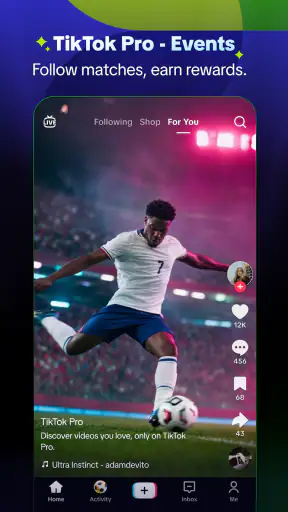
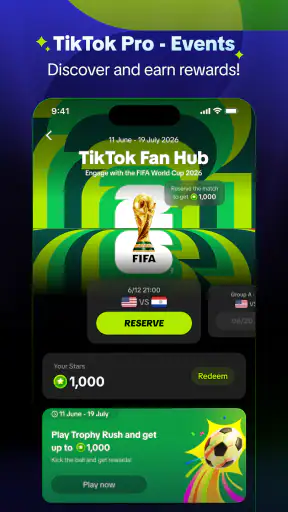
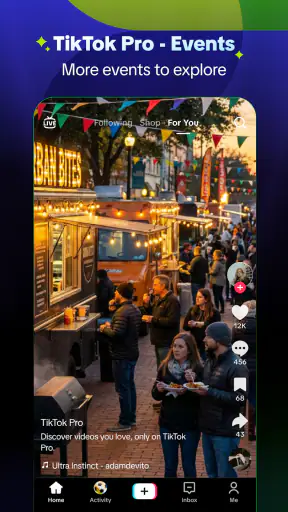
I approached TikTok Pro - Events as an entertainment app for people who want more than passive scrolling. Its promise is straightforward: take part in an experience and earn rewards while doing so. In practice, the appeal depends less on watching a few clips and more on understanding how the event flow works, keeping your account in good shape, and knowing what to check when something does not appear as expected.
That makes this a slightly different proposition from ordinary short-video viewing. I found it most interesting when I treated the app as a participation layer around TikTok content rather than as a replacement for the regular service. The experience can feel rewarding when the event is available and the account is ready, but it can also feel confusing if you expect every screen, reward, or activity to be visible immediately.
Where the experience usually gets stuck
The first point of friction is understanding what TikTok Pro - Events actually adds to the familiar TikTok routine. The store short description calls it TikTok Pro, while the app is presented around events and rewards. That wording can make a new user wonder whether this is a separate viewing app, a special event hub, or another way to interact with the main TikTok ecosystem. I would not install it expecting a completely different social network. Its value is tied to participation, so the event itself matters.
Before spending time looking for a reward, I recommend checking whether the relevant event is currently visible on your account and device. An event-focused app can feel broken when the real issue is that the activity is not available in the current context. A missing banner, unavailable task, or unchanged progress indicator does not automatically mean the installation failed. The first useful question is whether you are looking at the correct account and the correct event area.
Login confusion is another realistic obstacle. If you use more than one TikTok account, it is easy to open the app with an account that does not have the activity you expected. I make a habit of checking the profile identity before trying repeated actions. This is a small step, but it prevents a lot of wasted tapping and avoids the mistaken assumption that a reward has disappeared.
The most important practical lesson is to verify the event context before troubleshooting the phone. If the wrong account or an inactive event is involved, clearing screens, reinstalling, or repeatedly refreshing will not solve the underlying problem.
There is also a difference between participation and instant reward delivery. The store summary focuses on earning rewards, but that does not mean every action produces an immediate visible result. I look for a clear indication that an activity has registered before moving on. If I rush through several steps without checking, it becomes difficult to tell whether the issue is a delayed update, an incomplete action, or simply an expectation that the app never promised.
What I check before blaming the installation
I begin with the basics: a stable connection, the correct account, and the current app build. The current version is 46.6.3, and the app supports Android 6.0 or later. Those details matter because an older device may technically meet the minimum requirement while still delivering a less comfortable experience than a newer phone. On iOS, I would likewise keep the operating system and the app updated through the normal store process.
I also close other demanding apps before testing an event. This is not because TikTok Pro - Events is necessarily unusually heavy, but because memory pressure and background activity can make a loading problem look like an event problem. A clean restart of the app is more useful than repeatedly pressing the same button while the interface is already stalled.
Notifications and account access deserve a quick review as well. I do not assume that every event update will arrive as a notification, but if I am waiting for an activity to appear, I make sure the app is allowed to function normally in the device settings. I avoid changing several permissions or system options at once; changing one thing at a time makes it easier to identify what helped.
When an event screen loads partially, I give the app a moment and then reopen it rather than repeatedly switching between pages. If the same state returns, I compare it with what I see from the account area. This simple cross-check helps distinguish a display refresh issue from a genuine account or event limitation.
Another useful preparation step is to understand the financial side before interacting with anything that looks optional. The app is free to install, but in-app purchases range from $0.07 to $249.99 per item. That wide range is a reason to read each confirmation screen carefully and use device purchase controls if someone else, especially a teenager, may access the phone. I never treat a reward-oriented experience as a reason to make an impulsive purchase.
A setup routine that avoids unnecessary resets
My preferred setup is deliberately boring. I install the app from the normal platform store, open it, confirm the account shown, and look for the event area before changing anything else. I then test one activity at a time. If the app asks me to move into another part of the TikTok experience, I follow that path carefully and return to check whether the action registered.
This approach is better than immediately deleting and reinstalling the app. Reinstallation can remove local state, but it does not change whether an event is available to an account. It can also create extra login work, which is particularly annoying if you are not certain which account was active originally. I reserve a reinstall for persistent launch or update problems after the simpler checks have failed.
For families, the Teen content rating is worth taking seriously. I would explain that the app is not just a passive video player and that reward-related interactions should be reviewed together. The safest routine is to keep purchases protected at the device level, avoid sharing account credentials, and make sure the user understands which actions are part of the event and which may lead elsewhere.
The developer is TikTok Pte. Ltd., so people already familiar with TikTok will recognize the general account relationship and content environment more quickly than someone approaching it without that background. Even then, I would not assume that familiarity removes the need to check the active profile. A known brand can make account mix-ups easier to overlook because the interface feels immediately familiar.
Recovering a workflow when progress looks wrong
When an activity does not register, I use a short recovery sequence. First, I stop repeating the action. Second, I note what I was doing immediately before the problem appeared. Third, I leave the event area and reopen it once. If the status remains unchanged, I check the account and connection before trying the activity again. This creates a clean test instead of producing a pile of identical attempts with no clear result.
For a loading loop, I force-close the app through the device’s normal app controls and reopen it. If that does not help, I restart the device and test again. I would only clear local app data or reinstall after making sure I can sign back into the intended account. Losing track of the active account is a more serious inconvenience than a temporary display problem.
For a reward that appears delayed, I avoid assuming that the reward has been lost. I check the event screen again later, confirm that the action was completed as requested, and look for any in-app status that explains the next step. If the app offers a support route, I would use it with a concise description: account used, event area, action attempted, and what changed afterward. A precise report is more useful than saying only that “rewards do not work.”
One of the less obvious workflow tips is to capture the state before leaving a problematic screen. A screenshot can help me remember the exact wording or status indicator, especially when the interface changes after reopening. I avoid including private account details when sharing anything publicly, but keeping a private record can make later support much clearer.
I also treat network changes carefully. Moving from mobile data to Wi-Fi, or the other way around, can reveal whether a connection is involved, but I change only one connection condition at a time. If the event works after a network switch, that is useful evidence; it is not a reason to keep toggling settings randomly. The goal is to isolate the cause, not to create a new configuration problem.
Another trade-off concerns patience. Event systems often require a sequence: open the right area, complete the intended action, return, and allow the status to update. I found that rushing through the sequence makes the app feel less reliable because I cannot tell which step counted. A slower, deliberate workflow is especially worthwhile when the reward has a condition attached to it.
When the app is not the real cause
Not every missing feature is an application failure. Availability can depend on the account, the event, the platform, or the current context. I would not compare my screen with a friend’s and assume both experiences must match. Different accounts can present different event states, and an activity that was visible earlier may no longer be active when I return.
The device itself can also be the limiting factor. Meeting the minimum operating-system requirement means the app can be installed, not that every older phone will feel equally responsive. Slow storage, limited memory, aggressive battery management, or an unstable connection can all affect loading and updates. If other apps are also freezing or failing to refresh, I look at the phone and network before treating TikTok Pro - Events as the sole culprit.
Account security is another boundary. If sign-in repeatedly fails, I use the normal account recovery process rather than trying questionable workarounds. I would never install modified versions, share login details with a stranger, or use unofficial tools that claim to unlock rewards. Those shortcuts create more risk than value and make it harder to know whether the original app is functioning correctly.
Rewards themselves should be viewed with realistic expectations. The app’s central idea is participation, but I would not install it as a guaranteed income source. The experience is better understood as an entertainment activity with reward elements. Anyone looking for predictable earnings, detailed financial tracking, or a conventional loyalty program would probably be happier with a purpose-built alternative.
That distinction also helps with privacy and attention. TikTok Pro - Events may suit someone who already enjoys TikTok-style entertainment and wants an event layer, but it is not the best choice for a person trying to reduce short-form video consumption. The reward structure can encourage extra checking, so I set a personal limit before opening it. Otherwise, a quick attempt to complete one activity can turn into an unnecessarily long session.
Who will get the most from it
I see the strongest fit for existing TikTok users who enjoy interactive campaigns, can keep track of the account they are using, and are comfortable following a multi-step activity rather than expecting a single tap to finish everything. It is also useful for someone who likes discovering participation opportunities inside an entertainment platform instead of using a separate rewards service.
The app is less suitable for people who want a quiet, uncluttered video viewer. It is also a weak match for anyone who dislikes account-based activities, does not want to monitor optional purchases, or expects every reward to be immediate and uniform. In those cases, the regular TikTok experience may be simpler, while a conventional streaming app may be better for uninterrupted viewing.
Compared with ordinary entertainment alternatives, this app’s distinctive point is the interaction around events. A standard video platform is usually easier when the goal is simply to watch. A standalone rewards app may offer clearer tracking when the goal is strictly collecting benefits. TikTok Pro - Events sits between those uses: its entertainment context is the reason to open it, and the reward layer is the extra motivation. That combination is appealing only if both sides matter to you.
In an everyday scenario, I can imagine opening it during a short break, checking the active event, completing one clearly defined activity, and returning later to verify the status. That routine feels manageable. By contrast, I would not rely on it for a time-sensitive reward while traveling, using an older phone, or switching between several accounts. Those conditions increase the chance of confusion at exactly the wrong moment.
My practical verdict
TikTok Pro - Events is a free entertainment app from TikTok Pte. Ltd. with a 4.6 average from around 40 thousand ratings and over 5 million installs. Those figures suggest that the concept has found an audience, but they do not remove the need to understand its event-driven nature. The Teen rating also makes responsible account and purchase habits important, particularly on shared devices.
I like the idea more than I like the friction that can surround it. When the right event is visible, the correct account is active, and the connection is stable, the participation flow can be enjoyable. The strongest benefit is not simply watching content; it is having a reason to interact with an event and check progress. That gives the app a purpose beyond another scrolling session.
My recommendation is conditional: try it if you already enjoy TikTok and are curious about event participation, but approach it with measured expectations. Check the account first, test one activity at a time, protect purchases, and do not interpret every delayed update as a lost reward. If you want predictable rewards, uninterrupted viewing, or a calmer experience, another category of app will serve you better.
After using it with that mindset, I see TikTok Pro - Events as a worthwhile companion for the right user rather than an essential replacement for familiar entertainment apps. Its success depends on timing, account context, and a little patience. Use it as an interactive entertainment option, not as a promise of effortless rewards.


